
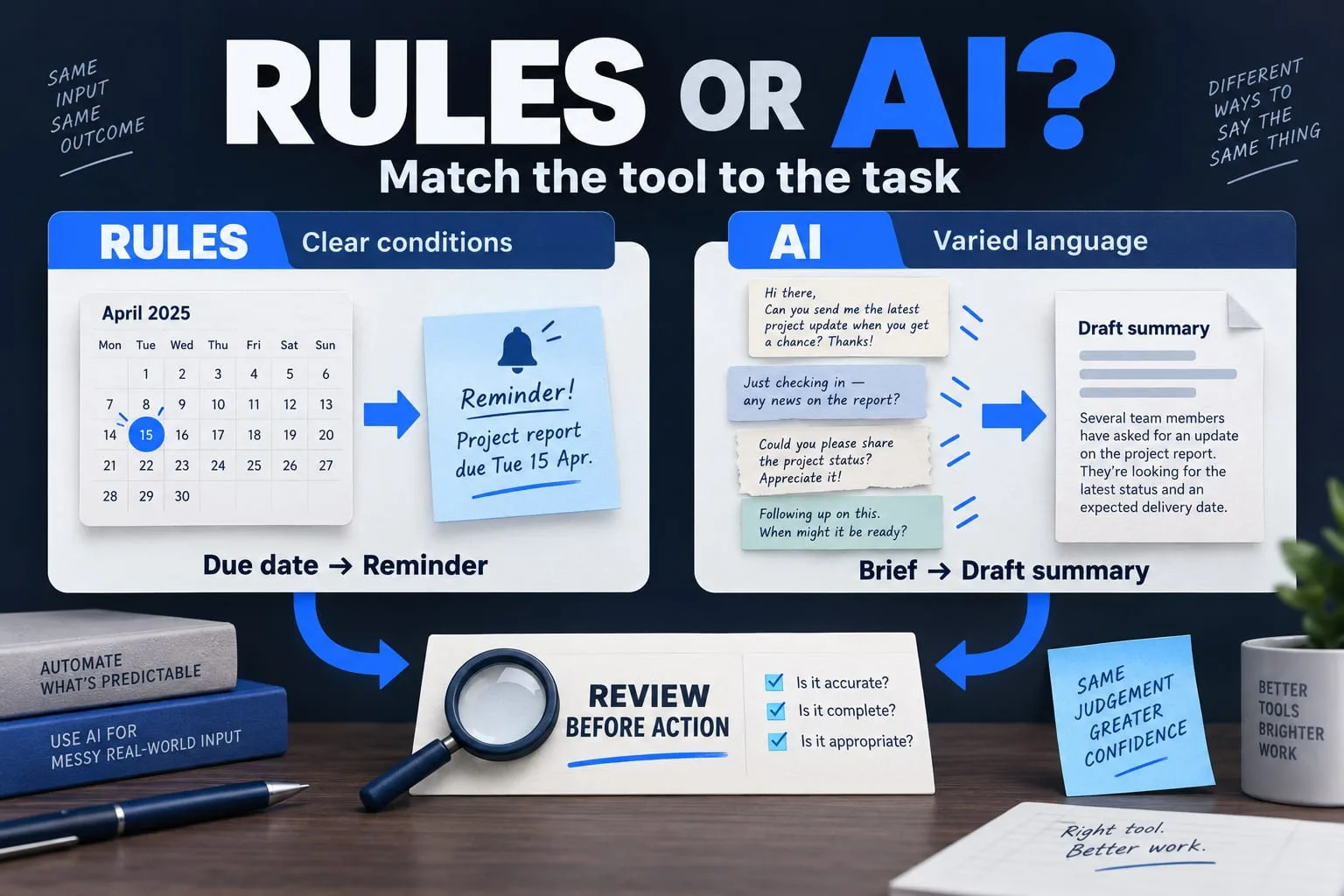
The short answer
Use rules for clear, repeatable decisions. Consider AI when the input varies and the output can be checked. Keep a person responsible for consequential actions and define what happens when the system cannot finish.
The first question in an automation project should be “Which repeated task is causing friction?” It is easier to choose a tool when you understand the work than to find work for a tool you have already chosen.
A dependable workflow may combine ordinary rules, an AI-assisted draft and a person's approval. The aim is a useful handover between those steps. This guide offers a way to plan that handover without assuming that every business task needs a model.
Start with one real task
Choose a task with a recognisable start and finish. For example: a new enquiry arrives, someone extracts the project requirements, a reviewer checks them and the team decides how to respond. Map the current process before proposing changes.
Collect a small set of permitted examples, including incomplete or unusual inputs. Ask the person who does the work which mistakes matter. A shorter response time is not useful if the wrong project gets assigned or private information enters an inappropriate tool.
- Trigger: what starts the task?
- Input: what information is available, and who may use it?
- Decision: what is predictable and what requires judgement?
- Output: what counts as a useful, checked result?
- Owner: who resolves exceptions?
Use the simplest approach that fits
A fixed condition is often better handled by a rule: route an enquiry by selected service, remind an owner about a due date or reject a missing required field. These decisions can be described and tested without asking a model to interpret them.
An AI step can be worth exploring when people send varied language or unstructured material. Summarising a brief or proposing a draft may help, provided someone can compare the result with the source. Treat the output as a candidate to review, rather than evidence that a task has been completed correctly.
| Task characteristic | First approach to evaluate | Check |
|---|---|---|
| Explicit condition and fixed outcome | A deterministic rule | Boundary cases and missing inputs |
| Varied text, with a reviewable result | AI-assisted draft or extraction | Compare with the original material |
| Action with financial or public consequences | A defined human approval step | Who approved exactly which action? |
| Unclear goal or no reliable examples | Improve the process first | Can the team agree on a correct result? |
An illustrative enquiry workflow
Imagine an enquiry that asks for a website and a client portal. A form or email provides the source material. Rules record the selected service and reject clearly missing information. An optional AI step prepares a summary, lists unanswered questions and links back to the original enquiry.
A reviewer checks the summary, corrects it and chooses the next action. Sending a reply or creating a customer record is a separate step with its own permission. The system should distinguish “draft prepared”, “approved” and “sent” so that a generated paragraph cannot be mistaken for a delivered message.
This is a planning example, not a claim that a visitor's enquiry has been processed or that NEXVORA Growth currently offers public access.
Set data and permission boundaries
Decide which information the workflow may read, where it may be stored and which people may see it. Remove information that is unnecessary for the task. Before using an external provider, check its current data handling terms and choose settings appropriate to the intended information.
Keep permissions narrow. A summarisation step does not need the ability to publish content or delete customer records. OWASP's authorization guidance supports checking permissions on the server for each request; hiding a button alone does not enforce an access boundary.
Design the unfinished path
Write down what happens when an input is unreadable, a provider is unavailable or an output is not suitable. Show the owner what needs attention and keep enough context to resume safely. A workflow that fails visibly is easier to operate than one that silently drops tasks.
For external actions, a timeout can leave the outcome uncertain. Check the receiving system before repeating the action. Repeating a summary may be harmless; repeating a published post, payment request or customer message can cause a different problem. Include this distinction in the scope.
Run a small, measured pilot
Begin with permitted test records and a narrow workflow. Record the time spent reviewing, corrections needed, exceptions and provider costs. Include human review time in the comparison with the existing process. Do not infer a business-wide benefit from one successful demonstration.
Agree on a stopping condition as well as a success condition. If the workflow requires constant correction or handles data it cannot protect, simplify it. Expand only after the team understands its limits and can operate it reliably.
Pick one workflow
Write down its trigger, input, expected result, reviewer and exception owner. Then identify one step that can be a simple rule. Evaluate an AI step only after you can explain how its result will be checked.
Further reading
Primary references for the technical points in this guide. The planning examples and checklists are NEXVORA's recommendations.