
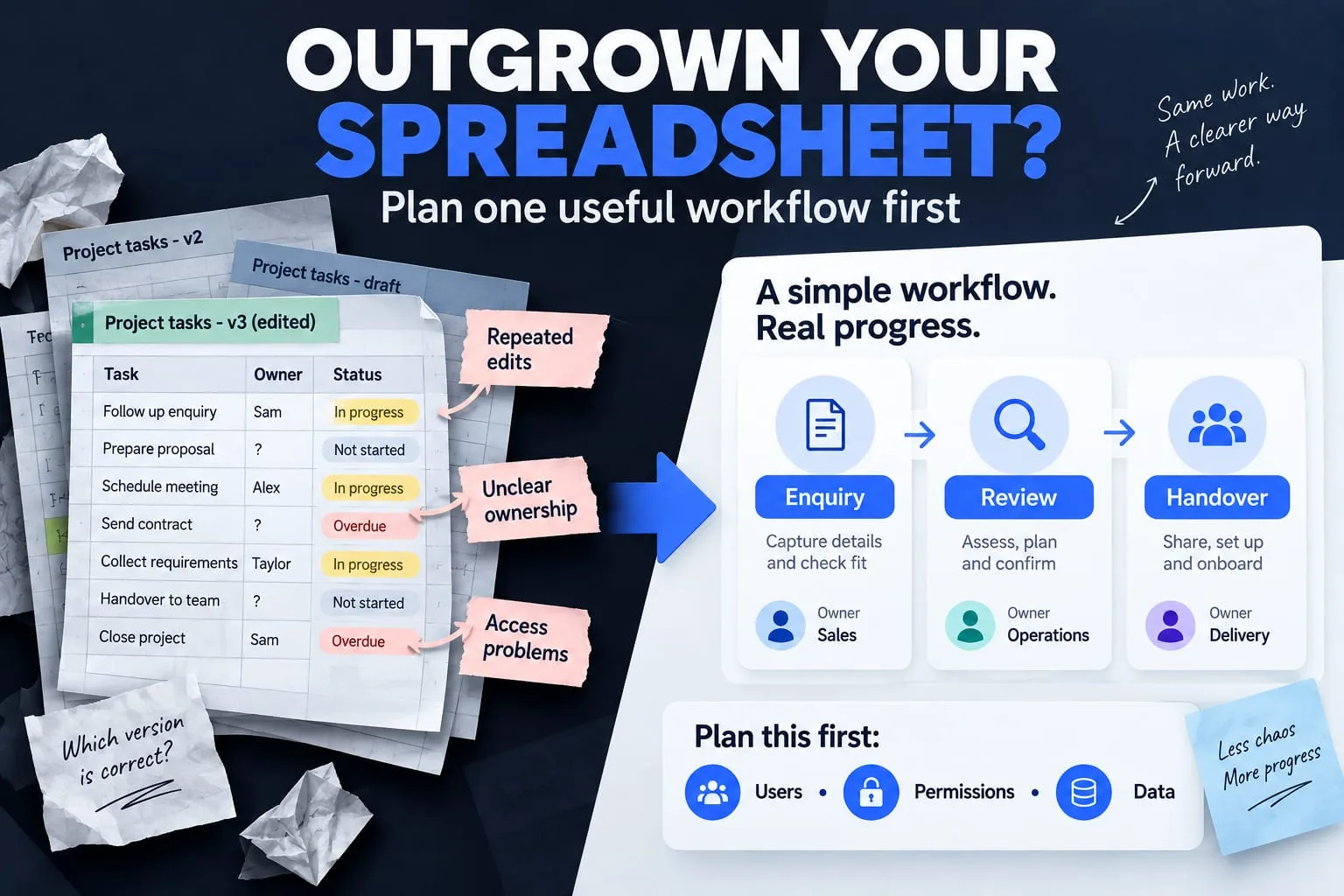
The short answer
Consider a custom tool when repeated handovers, access restrictions or conflicting records are costing the team effort. Define the workflow and compare existing tools before commissioning a build.
A spreadsheet is often a good place to begin. It is easy to inspect, flexible and familiar. The decision to move on should come from the way people use it, rather than from the number of rows or a desire to have a dashboard.
A custom tool earns its place when it improves a specific workflow. Before discussing features, identify the repeated confusion, the people affected and the smallest change that would help them work together.
Look for workflow problems, not spreadsheet size
Notice how much work happens outside the file. People may copy the same information into separate sheets, ask who changed a status or send screenshots because a colleague should see only one part of the data. These handovers are useful signals to investigate.
A crowded sheet does not automatically justify a new application. Better column definitions, protected ranges or a simpler process may resolve the issue. Ask whether the problem is unclear ownership, unsuitable access or a task that the current tool cannot represent.
- Several versions of the same record are treated as current.
- A status change has no clear owner or explanation.
- People need different access to the same underlying workflow.
- The next step depends on reminders sent outside the system.
- Important decisions cannot be reconstructed from the available records.
Describe one complete journey
Write a journey from the first input to the final handover. For a project tool, this might be: a brief is received, a team member checks it, questions are resolved, a milestone is reviewed and the deliverable is handed over. Use the team's actual terms for each step.
At every transition, identify the person responsible and the information they need. Include changes and corrections, not just the happy path. What happens when someone submits twice, a reviewer is unavailable or a project is cancelled? These questions affect the design more than a large list of dashboard widgets.
Define roles before drawing screens
The following is an illustrative permission plan. Adapt it to the real team; the names of roles alone do not establish secure access.
Authentication establishes who a user is. Authorization determines which records and actions they may access. Enforce those decisions in the backend and check them with separate test users. A client who knows another project's address should still be unable to read it.
| Example role | May see | May change |
|---|---|---|
| Client | Their own agreed project information | Their brief and permitted feedback |
| Assigned team member | Projects they are assigned to | Agreed tasks and progress updates |
| Owner | Information required to manage the work | Assignments and approved administrative actions |
Choose the smallest useful version
Start with the record, its owner, its status and the next action. Add a history of important changes where the workflow needs it. A reliable way to find and update the right record usually matters more at first than charts, automation or extensive customisation.
Write a separate later list. Reporting, integrations and AI assistance may be valuable, but each introduces additional operating work. Keep them out of the first version unless the core journey cannot work without them. This also makes the first review easier for the people who will use the tool.
Compare build, buy and improve
Evaluate an existing product against your actual journey. Consider who can administer it, how data can be exported, the permission model, current recurring costs and any required integrations. A tool that covers the process well may be preferable to owning a custom codebase.
A custom build may fit when the workflow is distinctive or existing products require fragile workarounds. Include maintenance, backups, dependency updates and user support in that decision. A launch budget without an operating plan leaves the team dependent on an application nobody is ready to look after.
Plan migration and acceptance
Decide which records should move, which fields are trustworthy and who resolves duplicates. Preserve a reviewed backup and test the import with a small representative sample. Avoid copying obsolete or unnecessary personal information simply because it exists in the old file.
For acceptance, ask different users to complete the same defined journey with sample data. Test denied actions as well as allowed ones. Check how the tool handles an interrupted submission and whether important work can be recovered. Finish with an owner, a support path and an agreed way to export the information.
Bring one example of the friction
Document a repeated handover that currently needs a message or a copied sheet. Identify the record, owner, next action and allowed viewers. Use that journey to compare an existing tool with a small custom build.
Further reading
Primary references for the technical points in this guide. The planning examples and checklists are NEXVORA's recommendations.