
The short answer
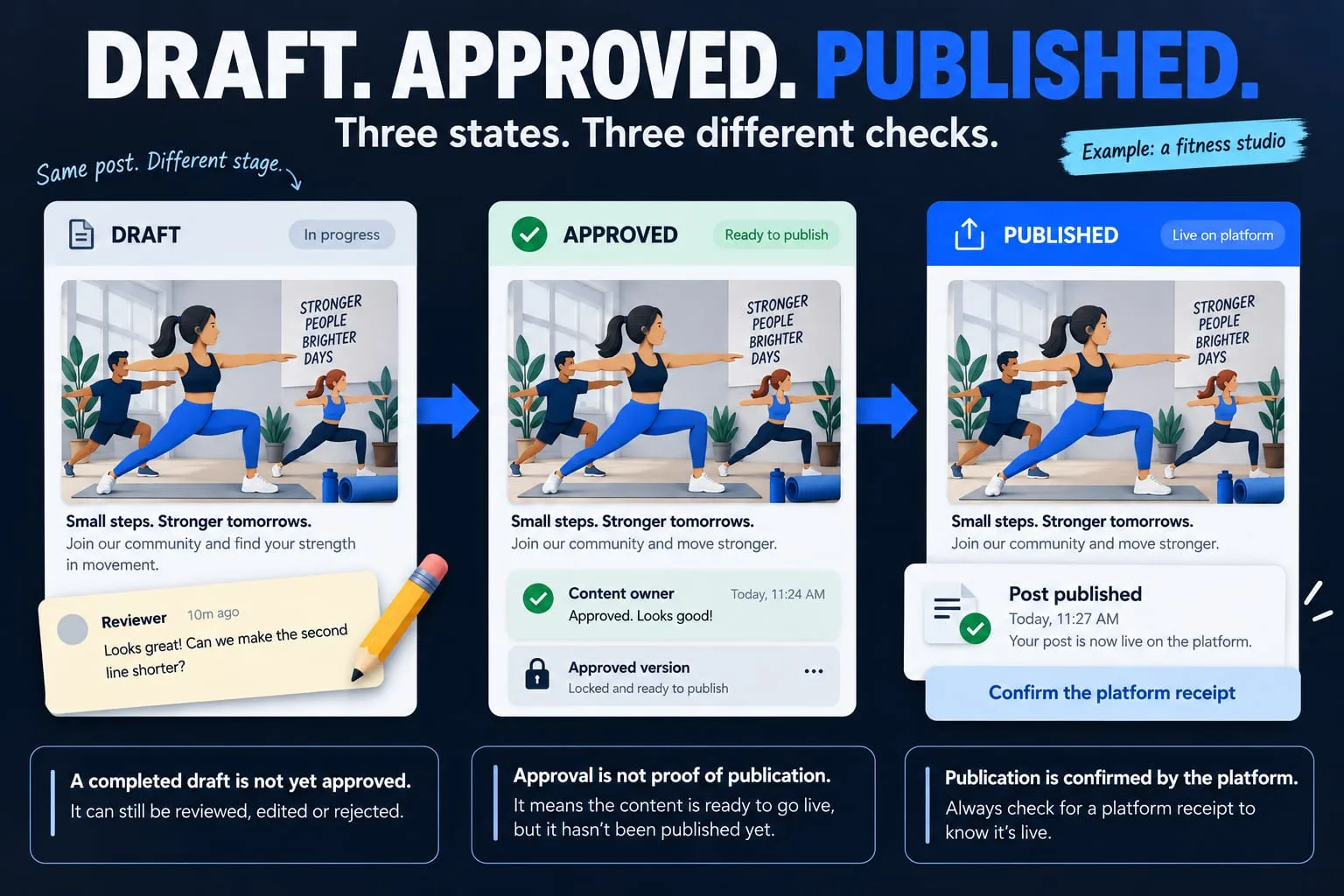
Keep the original brief, approved assets, reviewer decisions and publication receipt connected. A finished draft and an approved post are different states, and neither proves that a platform has published it.
Social content gets difficult to manage when the brief lives in one conversation, the visuals in another folder and the approval in a third place. The issue is often the handover between people, rather than a shortage of ideas.
A practical workflow gives each post a clear purpose, a current version and an owner. It can begin with a shared document and become a custom system when the team needs more control. The following is a planning guide, not a claim that a connected publishing service is available on this website.
Keep one brief with the post
Record the intended audience, the message, the format and the action you want the viewer to take. Include the source of factual claims and the destination link. The person making the visual should be able to find this context without reconstructing several conversations.
Define what the post must not change. This can include exact brand assets, the wording of an approved offer, a voice recording or a person's appearance. References can communicate a visual direction, but the team still needs permission for the material it publishes.
- Audience and purpose
- Source facts and intended destination
- Platform and format
- Approved assets and constraints
- Reviewer, owner and intended publishing time
Make the reviewed version unambiguous
An approval should refer to a specific combination of text, visual and destination. If the caption or image changes afterwards, the workflow should make that change visible and return the relevant material to review. A generic “looks good” message is hard to rely on when several drafts exist.
Keep the current version easy to find and old versions distinguishable. Store reviewer feedback next to the material it describes. This is particularly useful when a short video, cover image and caption need to work together and different people prepare them.
Give reviewers a short, useful checklist
Review meaning before polish. Confirm that the message is accurate, the offer is still current and the link goes to the intended page. Then review readability, framing and consistency with the approved assets.
Check a video with sound and without sound. Use captions where appropriate, inspect the opening and closing frames and verify that text remains readable at phone size. Include alternative text where the chosen platform supports it. These are production checks to adapt to the format; they do not promise a particular reach or engagement result.
Distinguish approval from publication
Use states the team can understand. The table below describes an example; use fewer states if the process is simpler. What matters is that the interface does not imply an external result that has not been verified.
A manual publisher can attach the public post address after checking the result. A supported API integration should retain the relevant platform receipt. If a request times out and the outcome is uncertain, inspect the platform before retrying rather than creating an accidental duplicate.
| State | Meaning | Next responsible step |
|---|---|---|
| Draft | Material is being prepared | Creator submits a version for review |
| Needs review | A version awaits a decision | Reviewer requests changes or approves |
| Approved | The specific material has approval | Publisher checks account, timing and format |
| Publication uncertain | The external outcome is not verified | Owner checks the platform before retrying |
| Published | The result has a verified receipt or public address | Owner records the link and reviews feedback |
Connect tools only when the workflow is clear
Start with the accounts and platforms the team actually uses. Check the current official integration options, required permissions and costs before committing to automation. Do not assume that the same publishing capability exists for every format on every platform.
Keep account ownership and access separate from content approval. A reviewer may need to approve a draft without being able to change the platform connection. The owner should know how to revoke an integration and continue manually if a provider is unavailable.
An example approval plan for a small team
For a local studio, the person preparing a post can also be its publisher, while the owner checks the offer and schedule. The example below makes the handover explicit without adding a large approval chain. These are illustrative responsibilities, not a record of a client project.
Use the same record for the brief, current caption, visual and destination. If the class time changes after approval, mark the affected post as needing review and have the owner approve the revised version. If publication times out, leave it uncertain until the publisher checks the platform. Do not label the post published or automatically send a second copy.
| Person | Decision or task | Evidence to retain |
|---|---|---|
| Creator | Prepare the current caption and permitted visual | Version and source brief |
| Studio owner | Approve the offer, time and destination | Approval attached to that specific version |
| Publisher | Check the account and publish the approved material | Confirmed public link or platform receipt |
| Owner / reviewer | Resolve a changed offer or an uncertain publication | Correction and checked outcome |
Bring feedback back into the next brief
Record useful questions and responses from the actual audience. Connect that feedback with the topic and post, so that the next brief reflects what people need explained. Reach alone does not tell you whether a post attracted the right audience or helped someone make a decision.
NEXVORA Growth is our developing product direction for social media workflows. Its public page presents a preview. A custom social system can be discussed separately around your team's real process, supported integrations and agreed scope.
Trace one post all the way through
Pick a recent post and locate its brief, final assets, approval and public link. The missing piece identifies a useful first improvement. Fix that handover before adding more automation.