
The short answer
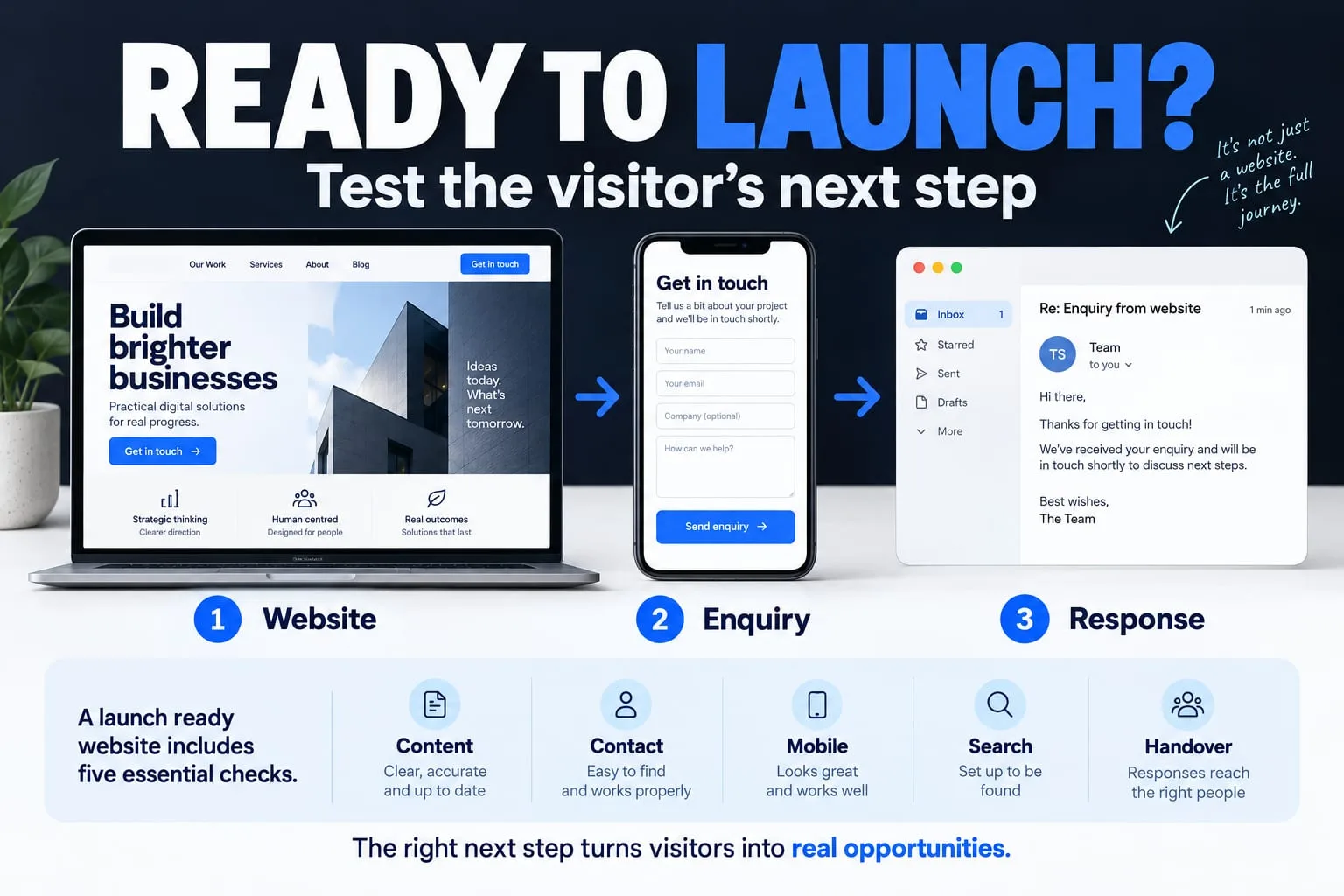
Review the experience, the actual contact route and the production search settings before launch. Passing technical checks makes a page ready for discovery; it does not guarantee indexing or rankings.
A page can look finished while its most important journey is still broken. Before launch, review what a visitor can understand and do on the real domain. Include the content owner, the person checking the site and whoever will handle incoming enquiries.
Use this checklist as a starting point for a public company website. A site with accounts, payments or sensitive records needs additional checks appropriate to those features. Record the result of each check and resolve the failures before describing the site as ready.
1. Confirm the facts and the promise
Read the site as a new visitor. Can you tell what the organisation does, who it serves and how to begin? Separate available services from future products. Replace placeholder testimonials, unsupported performance numbers and unconfirmed social links before publishing.
Check the public operator details and any privacy or terms pages against how the site actually works. For example, a page should not describe a live account system if accounts remain closed. Legal text needs an appropriate review for the business and its location; a copied template is not evidence of compliance.
2. Follow the enquiry from beginning to end
Use each enquiry option on the live site with permitted test information. A button that opens an email draft is different from a form that submits a stored enquiry. The confirmation text should describe what happened, and the intended recipient should be able to verify receipt when delivery is part of the flow.
Check any extra destinations, including social profiles, downloads and navigation anchors. If a feature is unavailable, give the visitor a useful explanation and a working alternative rather than a dead control.
3. Review mobile and keyboard use
Open the site on a narrow screen and on a real phone when possible. Check that headings fit, navigation opens and closes, text stays readable and the page does not force sideways scrolling. Review the site with reduced motion enabled so that important content does not depend on animation.
Use the keyboard to follow navigation and open controls. You should be able to see the focused element and understand its label. Check headings, image alternatives and form labels. W3C's easy checks can reveal several common barriers; they do not establish full accessibility conformance.
4. Check search settings on the production domain
Give each published page a descriptive title, a useful summary and a canonical address on the intended domain. Check that public pages return successful responses, do not carry an accidental noindex instruction and can be reached through ordinary links. Keep private workspaces and unpublished pages out of the public sitemap.
Use structured data only for facts shown on the page. An article's author and dates should match its byline; a future product should not be presented as an available paid offer. Verify the sitemap and inspect the important pages in your search management tools after deployment.
Google says its established SEO practices also apply to AI features in Search. Helpful text, crawlable pages and accurate markup are useful foundations. Additional AI text files are not required for those features, and meeting the requirements does not guarantee that Google will index or show a page.
5. Finish the operating handover
Confirm who owns the domain, hosting account and content updates. Arrange appropriate access without putting secrets into public files or shared briefs. Record how to restore the previous release if an update introduces a serious problem.
After launch, check the live pages again. Hosting, redirects and provider configuration can behave differently from a local preview. Monitor real enquiries and search reports, correct problems and update the content when facts change. Do not keep changing publication dates without a substantive content update.
Review the live journey
Choose one page, one enquiry route and one mobile device. Ask someone unfamiliar with the project to explain the offer and take the next step. Record the first point of confusion and fix that before adding more effects.
Further reading
Primary references for the technical points in this guide. The planning examples and checklists are NEXVORA's recommendations.