
The short answer
A useful review starts with authorised scope, checks the way the site handles access and information, and ends with documented fixes and retesting. A scanner score or a secure-looking interface is not a security guarantee.
Security is part of the way a website is built and operated. A public information site, a client workspace and an application holding sensitive records have different exposure and need different review plans.
Start by agreeing on the systems to be reviewed, the permitted methods and the owner who will receive findings. This guide explains what to discuss before commissioning an authorised review. It is not a result for your site and does not replace a review of the actual implementation.
Agree on scope and permission first
List the domains, routes, repositories and environments the owner is authorising for review. Confirm which provider systems are excluded and whether third-party conditions limit the checks. Define permitted test accounts, handling of findings and a contact for anything that requires immediate attention.
Prefer a controlled environment and sample information for checks that might alter data. If production is included, agree on limits and recovery arrangements. Having a public web address does not establish permission to test someone else's systems.
- Target systems and explicit owner permission
- Allowed checks, exclusions and timing
- Test accounts and approved sample data
- Finding recipients, handling and retention
- Recovery and escalation arrangements
Review the actual access boundaries
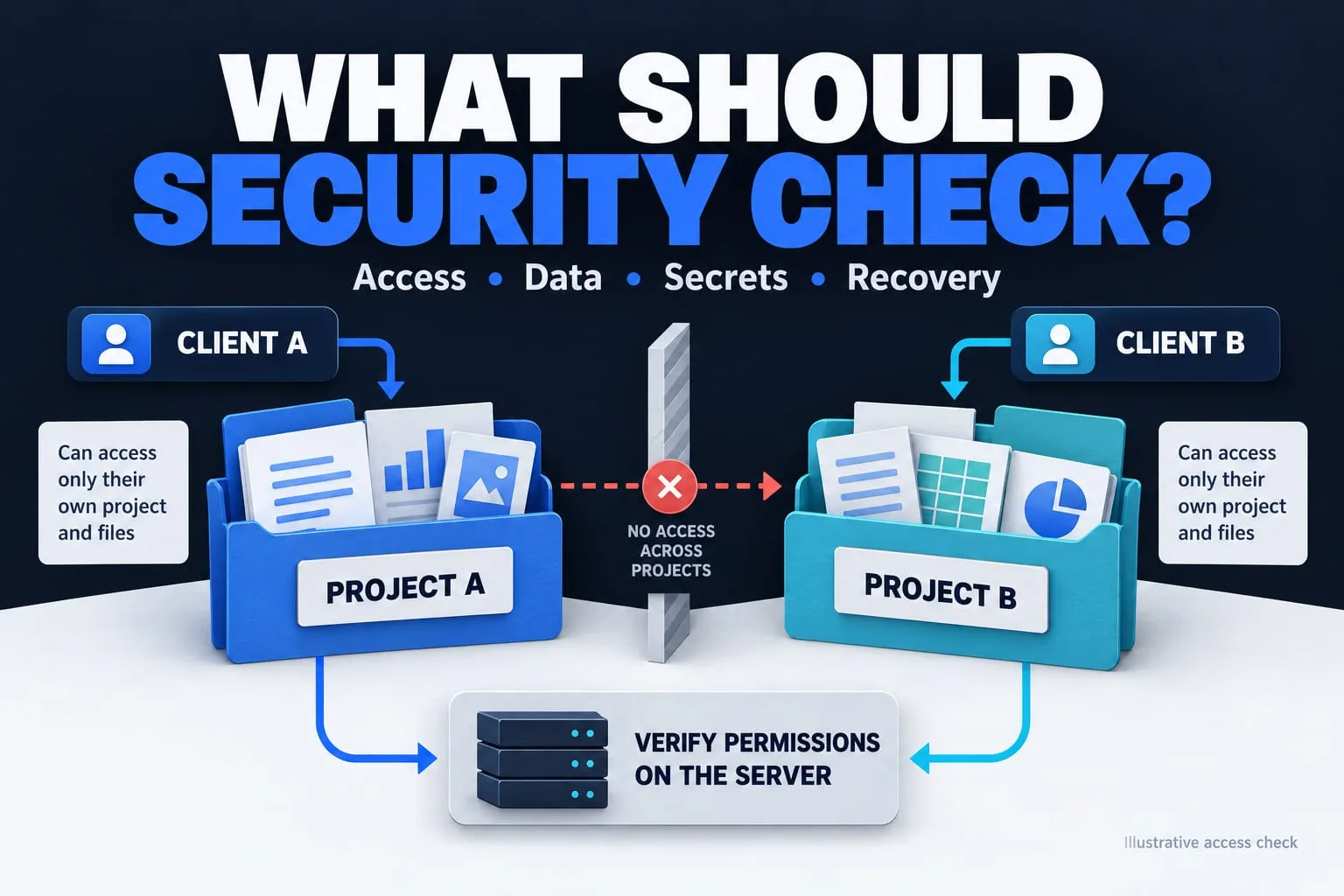
A sign-in page is one part of identity handling; it does not prove that project records are separated correctly. Check which records each role should see and which actions it may perform. The server should reject actions outside those permissions, even when a request does not originate from the visible interface.
OWASP recommends least privilege, denying access by default and verifying permissions on each request. For a client workspace, include checks with two separate clients and an assigned team member. Capture whether each permitted action succeeds and each prohibited action is denied, using approved test records.
Trace where information goes
Map what the site collects, where the information is stored and which providers receive it. Include logs, email notifications, uploaded files and exports. Remove fields that have no defined purpose and decide how long information should be retained.
Inspect public responses and prepared downloads for unintended information. A file intended for one customer needs its own access controls. Hiding a link or using a difficult-to-guess filename does not establish a permission check.
Keep secrets out of the public release
Separate browser-safe configuration from privileged credentials. Review the source and release package for environment files, private keys and provider credentials. A value required only by the backend should not be embedded in a browser bundle.
OWASP's secrets management guidance discusses controlling access to credentials throughout their lifecycle. If a secret has been exposed, removing the file is only part of the response: revoke or rotate the credential and review the relevant provider activity. Record who owns this process before launch.
Check behaviour on the hosted site
Review HTTPS, redirects, response headers and error handling in the environment that will actually serve visitors. Check that private routes remain private and that a missing configuration does not expose a partially working feature. A local demonstration cannot confirm hosted configuration.
Review dependencies and the update process appropriate to the stack. Plan backups and recovery where the site stores data. Security headers and scanner outputs can inform the review, but they do not replace checks of application permissions or how people operate the system.
Ask for findings you can act on
A finding should state what was checked, the affected component, the observed behaviour and its plausible impact within the reviewed scope. Include enough evidence to reproduce it safely, along with a practical recommendation and the person responsible for the fix.
After changes, retest the affected behaviour and record what remains unresolved. Separate completed checks from assumptions and excluded areas. A review is evidence from a defined scope and point in time; it is not certification that the system can never be compromised.
| Record | What to include |
|---|---|
| Scope | Authorised targets, environment and exclusions |
| Finding | Observed behaviour, evidence and affected access or data |
| Fix | Agreed change, owner and review priority |
| Retest | Checked result and any remaining limitation |
Prepare a review scope
List your public pages, private features, information collected and systems you own. Add the permitted environment, test accounts and exclusions. Use this to agree on a review that produces evidence your team can act on.
Further reading
Primary references for the technical points in this guide. The planning examples and checklists are NEXVORA's recommendations.